Thursday, April 21, 2005

Wargames Galore

Ever thought about hacking a computer (legally) or just want to test your hacking skills? If so, maybe Wargames are for you.

Standard knowledge of
telnet, Unix/Linux (basic & network command & directory architecture), and gcc should be known before attempting or you always learn as you go. You may be asking what would one get out of hacking a remote machine? Well, usually there is a goal of completing different levels and then advancing to the next (being a little harder of course).

There are different things you can take away from Wargames...

1.) Honing your
Unix skills.
2.) Have a better understanding how computers work.
3.) Have a better appreciation for
open-source movement
4.) The thrill of the kill
5.) Improving your computer security skills
6.) Killing time
7.) Learning a new trade
8.) Enhance your programming knowledge
9.) Learning a little
cryptology
10.) Add to your networking/protocol mental toolbox
11.) Impress friends & family
12.) Just having fun!

There are also some Wargames that let you whatever you want
except formating the drives (which is not permitted by any wargame) known as "Free Range Hacking". Some Wargames require teams of 2-6 players. One thing I would have to NOTE is that you should email the administrator of the Wargame server to verify the legitimacy and you won't go to jail!

There are tons of Wargames out there you can
Google it and you'll come up with thousands of links. A couple of my favorite Wargames are Hacker's Lab, Pull The Plug, Hackthissite, and CA's Zebulan.

Make sure the site is LEGIT and Happy Hacking!

Wednesday, April 20, 2005

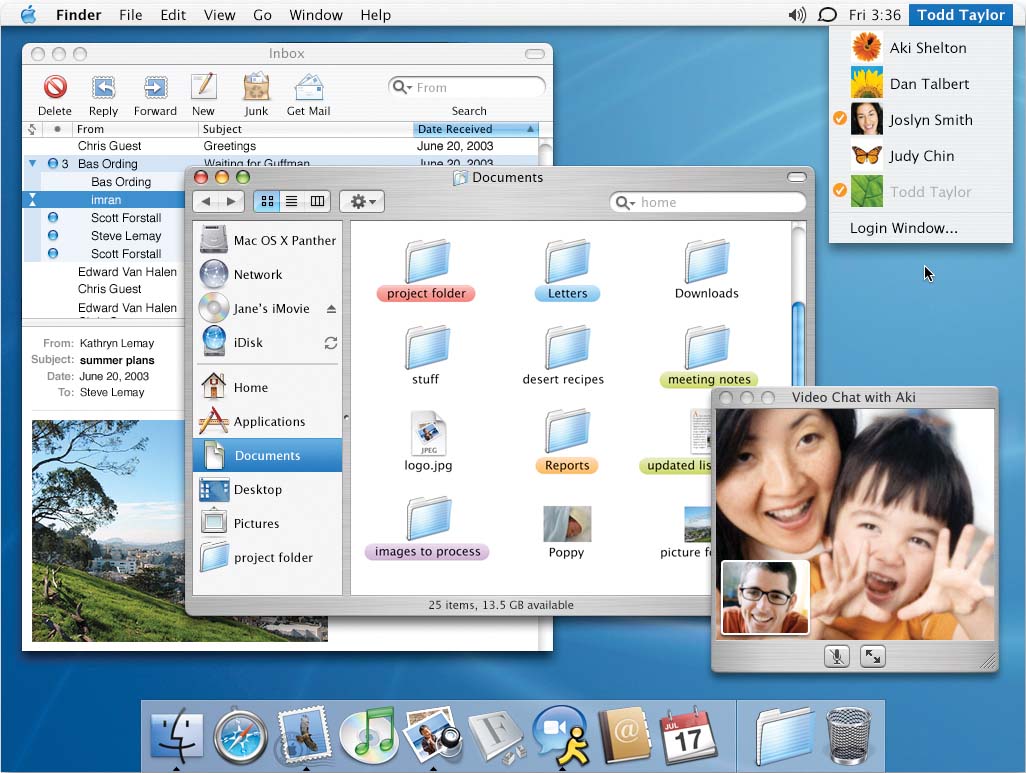
Mac's Delta Update (OS X 10.3.9 Update)

This OS X updates offers many reliability and compatibility improvements. These are just a few of the enhancements and improvements included:

Stickies

* Addresses an issue in which Stickies could unexpectedly quit when creating a new note.
* Addresses an issue in which new Stickies are invisible.
* Stickies windows can now be minimized (an issue with Mac OS X 10.3.4 through 10.3.8).


Safari

* Accessing certain websites, such as msnbc.com, mail.yahoo.com, ticketmaster.com, and others, no longer displays a "bad server response" alert that could occur in Safari.
* Addresses an issue in which "safe downloads" files are not automatically opened after downloading.
* SSL webpages (pages with URLs that start with "https://") load faster in Safari.
* Adds some important Verisign root certificates to Safari, allowing you to connect to certain secure websites that you might not have been able to surf before.
* Adds other trusted root certificates to Safari, such as VISA and RSA.


Finder

* Addresses an issue in which copied files could become fragmented (but still usable) when you copy more than one file at the same time in the Finder.
* Addresses a rare issue in which a file could become damaged when copying to a FAT16- or FAT32-formatted volume.
* Improves reliability when mounting (making available) a disk image that's larger than 4.7 GB.


More

* Addresses slow vertical tracking and intermittent trackpad behavior on PowerBook G4 12-inch 1.5GHz, 15-inch 1.67/1.5GHz, and 17-inch 1.67GHz computers.
* Adds an "Apple Internal 56k Modem (v.32)" modem choice that you can use if you have difficulty using Verizon's Airfone Jet Connect service.
* Addresses an issue with Mac OS X 10.3.6 and later in which the Calculator window won't appear if the Speak Button Pressed or Speak Total options are enabled.
* Fixes an issue at the login window, where clicking the small space just below the bottom user account picture would produce this alert:
"Internal Error *** -[NSCF Array objectAtIndex:]: index(-1) beyond bounds (X)" (where X is the number of user accounts shown).
* Addresses an issue in which the startup time in Mac OS X 10.3.6 through 10.3.8 may be extended if a large number of PostScript fonts are installed.
* If your PowerBook G4 sometimes wakes up with a kernel panic, installing this update may help.
* Addresses a data loss issue that could occur when syncing your iDisk at the same time that .Mac servers are experiencing heavy usage.
* Avoids a potential Mail issue if the application is running when Daylight Savings Time changes.
* Addresses some formatting issues that could occur when replying to HTML messages in Mail.

Tuesday, April 19, 2005

Short-horn to Longhorn

It seems a long wait until Microsoft's newest version of the Windows operating system code-named "Longhorn" is finally released (sometime in 2006). Paul Thurrott's SuperSite, holds no punches when it comes to publishing exclusive information on Microsoft's future releases. They have extensive information, photos, video and links in regards to the long-awaited Longhorn OS. Having stopped using Windows about a year ago, one would have to admit the interface is a major improvement... however who's to say if it's more stable.

Papel de Compudora

Has anyone heard word from Andy Rifkin, the former VP of Mattel? Wired Magazine did an article on paper computers (April 2000) and how they were going to be the wave of the future, because they were portable, disposable, and economical. Andy was supposed to be the head of the paper computer revolution.

NOTE: Just as I was finding links for this Blog entry, I found
the article on Andy and Paper Computers.

Home-Made .Mac


While browsing Slashdot a year or so ago, someone mentioned creating their own .Mac server. It sounded like a great idea, however laziness set in and it was never accomplished...

Do It Yourself... (Score:5, Informative)
by pandrijeczko (588093) on Friday August 20, @05:50AM (#10020845)

1. Linux/BSD server connected to your broadband link.

2. Dynamic DNS service on your IP address from your ISP.

3. Procmail & fetchmail grabbing mail from the ISP mail server.

4. Strong firewall rules & SSH-only access with public & private keys.

5. Carry around your private key with Putty on a USB memory stick and / or a floppy disk.

I have 160GB of storage and can get to my email form just about any PC in the world. Plus I haven't got to worry about "yet another email account".

Monday, April 18, 2005

Adobe Puts Up $3.4B To Buy Macromedia.


This is one of the those good things that can turn into a scare thing. With the acquisition of
Macromedia it is easy to see the new Adobe Systems turning into the "Microsoft" of multimedia software. Aside from the lawsuit, the competition was good while it lasted. Adobe put out this Press Release, it doesn't say much and mentions the exchange of company stock and SEC filings.